
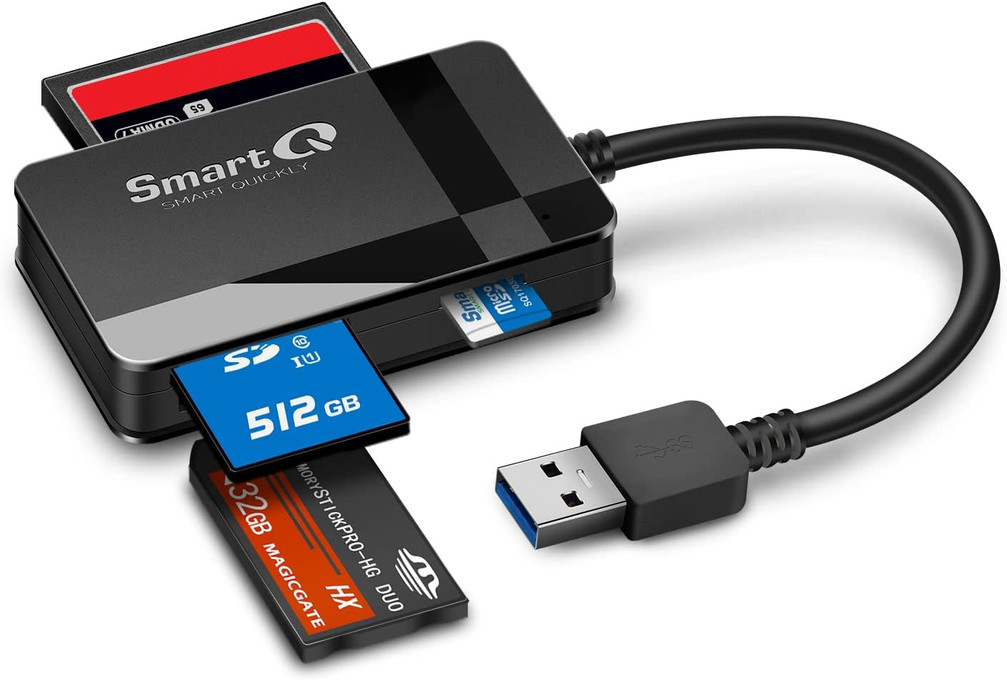
How to Read CompactFlash (CF) Cards on a Mac or PC
Posted by SmartQ Team on Nov 5th 2026
CompactFlash (CF) cards need a CF slot, and Macs don't have one. Some Macs and PCs have an SD card slot, but a CF card doesn't fit it. The easy fix is a USB card reader with a CF slot. This guide shows which one fits your computer and how to copy your photos.
Does my Mac have a CF card slot?
No. Macs don't have a CompactFlash slot. Some Macs have an SDXC slot, which takes SD cards only. Apple lists the Macs with an SDXC slot below. If your Mac isn't on the list, it has no card slot at all, so you need a USB card reader for both SD and CF cards.
| Mac | Built-in card slot |
|---|---|
| 14-inch and 16-inch MacBook Pro (2021 or later) | SDXC (SD cards only) |
| Mac Studio (2022 or later) | SDXC (SD cards only) |
| MacBook Pro (2011 to 2015), Mac mini (2011 to 2014), 13-inch MacBook Air (2013 to 2017), 21.5-inch and 27-inch iMac (2010 or later) | SDXC (SD cards only) |
| Any other Mac | None |
Source: Apple's page Use the SD and SDXC card slot on your Mac. Apple says microSD cards need an adapter in that slot.
Do Windows PCs have a CF slot?
It depends on the model, so check your PC maker's spec sheet for "CompactFlash" or "CF". If it lists only an SD or microSD slot, or no card slot, you need a USB CF reader. Windows reads a USB card reader with its own built-in driver, so there is nothing extra to install.
Which SmartQ reader reads CF cards?
All three readers in the SmartQ C368 family read CF cards, plus SD, microSD and Memory Stick. They all run at USB 3.0 speed, up to 5Gbps. The only difference is the plug, so choose the one that fits the ports on your computer.
| Your computer has | Choose |
|---|---|
| A USB-A port (rectangle) | C368 |
| Only USB-C ports | C368 USB-C |
| Both, or you use more than one computer | C368 Pro (USB-C and USB-A plugs) |
All three are plug and play on Windows, macOS and Linux. The C368 also works in a USB 2.0 port, but at USB 2.0 speed. With the C368 USB-C, use one card at a time. If you only need SD and microSD, a smaller reader such as the C307 or C350 is enough.
Will a CFexpress or CFast card work in a CF reader?
No. CFexpress, CFast and XQD are newer card types with different connections. CompactFlash uses parallel ATA, CFast uses SATA, and CFexpress uses PCIe. The C368 family reads CompactFlash cards only. For CFexpress or CFast, buy a reader made for that card type.
How do I copy CF photos on a Mac?
Put the card in the reader and plug it into your Mac. The card shows up in the Finder sidebar like a USB drive. Drag the photos to a folder, or import them with the Photos app. Eject the card before you pull it out.
- Insert the CF card into the reader, then plug the reader into your Mac.
- Open Finder and click the card in the sidebar. Photos are usually in the DCIM folder.
- Drag the files to a folder on your Mac. Or open Photos, choose File > Import, select the photos and click Review for Import.
- When copying is done, eject the card: drag its icon to the Trash, and wait until the icon disappears before you remove the card.
How do I copy CF photos on Windows?
Plug in the reader with the card inside, then open File Explorer. The card appears under This PC as a drive. Copy the photos to your Pictures folder, or use the Photos app to import them. Use Safely Remove Hardware before you unplug the reader.
- Insert the CF card into the reader and plug the reader into your PC.
- Press the Windows logo key + E to open File Explorer, then select This PC.
- Open the card under Devices and drives and copy the files you want. Or open the Photos app, select Import, then pick the card.
- Right-click the Safely Remove Hardware and Eject Media icon in the taskbar, select Eject, then unplug the reader.
Microsoft explains the last step in Safely remove hardware in Windows.
Can I skip the reader and use a USB cable to the camera?
Often yes. Many cameras connect to a computer with a USB cable, and Apple's Image Capture and Photos apps can import from a connected camera. A reader is handy when the camera turns itself off during long copies. For that case, Apple suggests putting the card in the computer instead.
Last updated: November 2026