
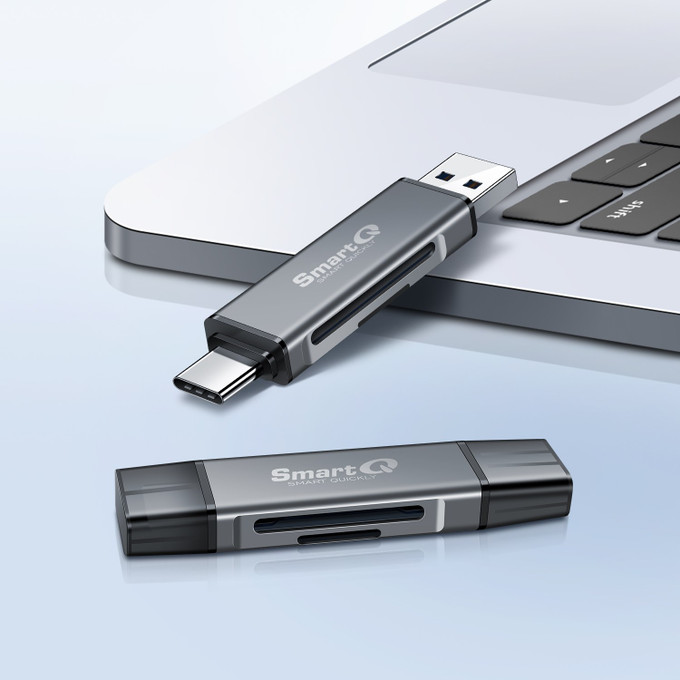
Why Is My SD Card Reader Slow? Port, Card and Hub Checks
Posted by SmartQ Team on Nov 5th 2026
A card reader is only one link in a chain. Your photos travel from the card, through the reader, through the USB port, into your computer or phone. The slowest link sets the speed. Most of the time the slow link is the port or the card, and both are easy to check.
What limits card reader speed?
Four things: the USB port, the reader, the card's bus type (such as UHS-I) and the card itself. A USB 3.0 reader in a USB 2.0 port runs at USB 2.0 speed. A fast reader can't make a slow card faster. This table shows the top speed of each link.
| Link | Top speed |
|---|---|
| USB 2.0 port (Hi-Speed USB) | 480 Mbps (about 60 MB/s before overhead) |
| USB 3.0 port (now called USB 5Gbps) | 5 Gbps |
| SmartQ card readers | USB 3.0, up to 5Gbps |
| UHS-I card bus | up to 104 MB/s |
| UHS-II card bus | up to 312 MB/s |
Note the units. Mbps and Gbps are bits per second. MB/s is bytes per second. One byte is 8 bits, so 480 Mbps is 60 MB/s at most. Real copies are slower than these top speeds.
Is my port USB 2.0 or USB 3.0?
Check your computer's tech specs page. It lists each port and its speed, such as "USB 3 (up to 5Gb/s)". Some computers also print the speed, like "5Gbps", next to the port. If a USB 3.0 reader is in a USB 2.0 port, it works, but only at USB 2.0 speed.
- On a Mac, choose Apple menu > About This Mac to get your model name, then look it up on Apple's Tech Specs site. Apple explains this in Identify the ports on your Mac.
- On a Windows PC, look up your model on the PC maker's website.
- On a phone, check the phone's spec page. For example, the standard iPhone 15, 16, 16e, 17 and iPhone Air use USB 2 speed. See our iPhone guide.
Does my SD card's speed class matter?
Yes, but it may not mean what you think. The speed class symbols on a card show the minimum speed for continuous writing, which matters for recording video. Copy speed depends more on the bus type and the card's design. The SD Association defines these symbols.
| Symbol on the card | Minimum write speed |
|---|---|
| Class 10, U1 or V10 | 10 MB/s |
| U3 or V30 | 30 MB/s |
| V60 | 60 MB/s |
| V90 | 90 MB/s |
A Roman numeral I or II on the card shows the bus type: UHS-I or UHS-II. The SD Association says the bus speed shows a card's possible top speed in short bursts, and the real top speed also depends on how the card is built. Large "up to" numbers on the label are the maker's own claims.
Will a UHS-II card copy faster in my reader?
Only in a UHS-II reader. A UHS-II card has a second row of pins for its faster mode. Its first row of pins lets it work in normal readers too, at that reader's speed. SmartQ readers don't list UHS-II support, so a UHS-II card works in them, but not at its UHS-II speed.
If you shoot with UHS-II cards and want their full speed, use a UHS-II reader. Apple's USB-C to SD Card Reader supports UHS-II. Apple also says the SD slot on MacBook Pro (2021 or later) and Mac Studio (2022 or later) supports UHS-II. For UHS-I cards, a SmartQ USB 3.0 reader such as the C368 or C350 is enough.
Can a USB hub or cable slow down my reader?
Yes. Everything on a hub shares the hub's one connection to the computer, so two busy drives slow each other down. A USB 2.0 hub port runs at USB 2.0 speed. Cables matter too: the cable that comes with an iPhone supports USB 2 speed, and some cables can't move data at all.
On the H323S hub, plug the reader into its one USB 3.0 port. The other three ports are USB 2.0. The H302S has four USB 3.0 ports.
What should I check first?
Start with the cheapest fix. Move the reader to a USB 3.0 port on the computer itself, then test again with a different card. These two steps find most slow copies. Use this list in order and stop when the speed improves.
- Plug the reader straight into a USB 3.0 (5Gbps) port, not a hub.
- Close other copies or backups running on the same port or hub.
- Check the card for U3 or V30, and for the bus mark I or II.
- Try a second card. If it is much faster, the first card is the slow link.
- Buy name-brand cards from trusted sellers. GoPro, for example, warns that fake memory cards are common.
Last updated: November 2026