
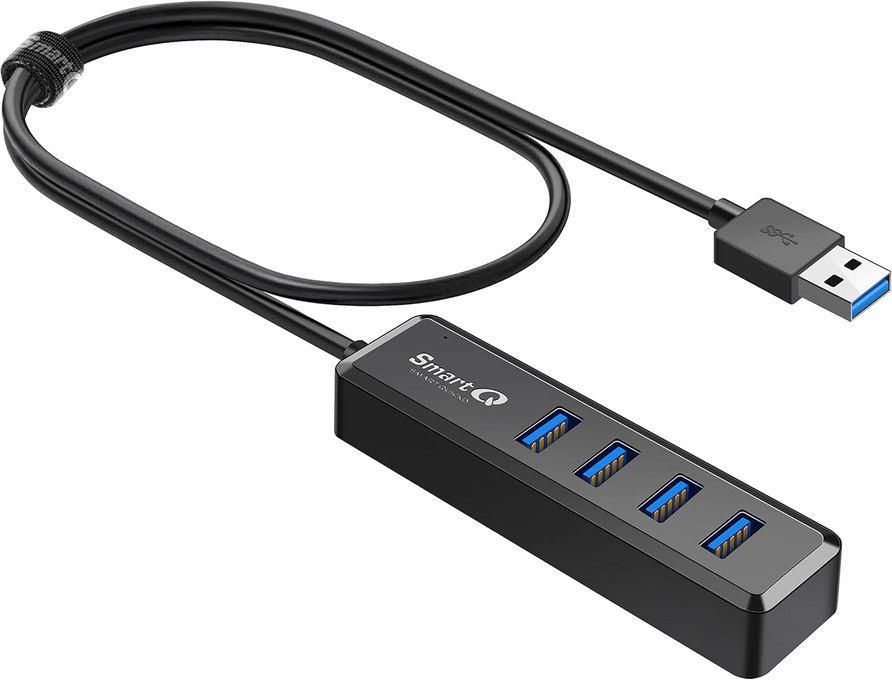
Which USB Hub Do I Need? Ports, Cable Length and Power
Posted by SmartQ Team on Nov 5th 2026
A USB hub turns one USB port into several. To pick the right one, answer five questions: which port your computer has, how fast the ports must be, how long the cable should be, whether you need extra power, and whether you also want card slots. This guide walks through each one.
Does my computer have a USB-A port?
Check this first, because every SmartQ hub has a USB-A plug, the flat rectangular kind. If your computer has a USB-A port, any SmartQ hub fits. If your laptop has only USB-C ports, you need a USB-C to USB-A adapter, or a USB-C hub from another brand. SmartQ doesn't sell a USB-C hub today.
Apple lists the adapters for Macs in Adapters for the Thunderbolt or USB-C port on your Mac. Our guide Do I need a powered USB hub? explains what to look for in an adapter. If you only need to read memory cards on a USB-C laptop, a SmartQ USB-C card reader plugs straight in.
Do I need four USB 3.0 ports?
Only if you connect several fast devices, like external drives, SSDs or card readers. USB 3.0 runs at up to 5Gbps, and USB 2.0 at up to 480Mbps. A mouse, keyboard or printer works fine on USB 2.0. That is why SmartQ makes two kinds of 4-port hub.
| Hub | Ports | Good for |
|---|---|---|
| H302S, H302A, H302A-100, Ultra-Thin | 4 x USB 3.0 | Drives, SSDs, card readers, plus everyday devices |
| H323S | 1 x USB 3.0 + 3 x USB 2.0 | One drive or reader, plus mouse, keyboard and printer |
On the H323S, put your drive or card reader in the one USB 3.0 port. A fast device in a USB 2.0 port works, but only at USB 2.0 speed.
Which cable length do I need: 2 ft or 3 ft?
A 2 ft cable suits a laptop on a desk. A 3 ft cable helps when the computer sits under the desk or its ports are hard to reach. Only the H302A-100 has the 3 ft cable. Most other SmartQ hubs have a 2 ft cable, and the H303 has a short attached cable.
| Hub | Cable |
|---|---|
| H302S, H302S 2-pack, H302A, H323S, Ultra-Thin | 2 ft |
| H302A-100 | 3 ft |
| H303 | Short attached cable |
Should I get the slim hub or the standard hub?
Both have four USB 3.0 ports and take power from your computer. The difference is the shape. The Ultra-Thin hub is 0.45 in thick and sits flat on a desk. The H302S is SmartQ's best-selling hub and also comes as a 2-pack for home and office.
| Hub | Size | Weight |
|---|---|---|
| Ultra-Thin | 4.37 x 1.34 x 0.45 in | 2.06 oz |
| H302S | 4.27 x 1.17 x 0.66 in | 1.76 oz |
Do I need a hub with extra power?
Choose a hub with a power input if you run external hard drives, or several busy devices at once. The H302A has an optional USB-C power input that takes your own 5V charger, up to 5V 2A. The H302A-100 also has a USB-C port for extra power. The other hubs share one computer port's power.
A standard USB 3.0 port supplies up to 900 mA in total, according to the USB-IF. That is usually enough for a mouse, keyboard, flash drive or card reader. The power input powers the hub only and does not charge your laptop.
Can I get a hub with SD card slots?
Yes. The H303 is a small aluminum hub with two USB-A ports, one SD slot and one microSD slot, so it replaces a hub and a card reader. If you also use CF cards, or need four ports, pair a 4-port hub with a separate SmartQ card reader instead.
Which SmartQ hub should I get?
Match the hub to your main job. The list below gives one pick for each common need. All of these hubs are plug and play, with no driver to install, and all plug into a USB-A port. You can also compare all SmartQ hubs side by side.
- General use on a laptop or desktop: H302S
- One hub for home and one for work: H302S 2-pack
- External hard drives: H302A, with a USB-C charger plugged in
- Computer under the desk: H302A-100 (3 ft cable)
- A flat, thin hub: Ultra-Thin hub
- Mouse, keyboard and one fast device: H323S
- Extra ports plus SD and microSD slots: H303
Last updated: November 2026