
Do I Need a Powered USB Hub? USB Port Power Explained
Posted by SmartQ Team on Nov 5th 2026
Often you don't need a powered USB hub. A mouse, a keyboard, a flash drive and a card reader usually run fine on a hub that takes its power from the computer. Hard drives are the common exception. This guide explains the power limits of a USB port, the warning signs, and what to do.
How much power does a USB port give?
The USB Implementers Forum (USB-IF), the group behind USB, sets the limits. A device may draw up to 500 mA from a standard USB 2.0 port and up to 900 mA from a standard USB 3.0 port. USB-IF says a device that needs more must have its own power supply.
| Port | Current | Power at 5 volts |
|---|---|---|
| Standard USB 2.0 port | up to 500 mA | 2.5 W |
| Standard USB 3.0 port | up to 900 mA | 4.5 W |
What does a hub without a power adapter share?
A hub with no power adapter takes all its power from one computer port. Its four ports share that one port's power, so on a standard USB 3.0 port the whole hub has up to 900 mA to share. That is plenty for small devices, but two portable hard drives at once may need more.
The SmartQ H302S, Ultra-Thin hub and H323S work this way. They need no adapter and are a good fit for a mouse, keyboard, flash drive, printer or card reader.
How do I know a device needs more power?
The device works when plugged straight into the computer, but not through the hub. Or it disconnects, or isn't recognized at all. A Mac may show a message that the device needs more power or that USB devices are disabled. Microsoft also says a hub without power may not run an external drive.
- Unplug the device, then plug it straight into the computer.
- If it works there, the hub may not have enough power for it.
- Move other high-power devices off the hub, or give the hub its own power.
- On a Mac, follow Apple's steps in If you see USB Devices Disabled on your Mac. Apple's last step is to make sure a self-powered hub is connected to its adapter.
When should I use the H302A's USB-C power input?
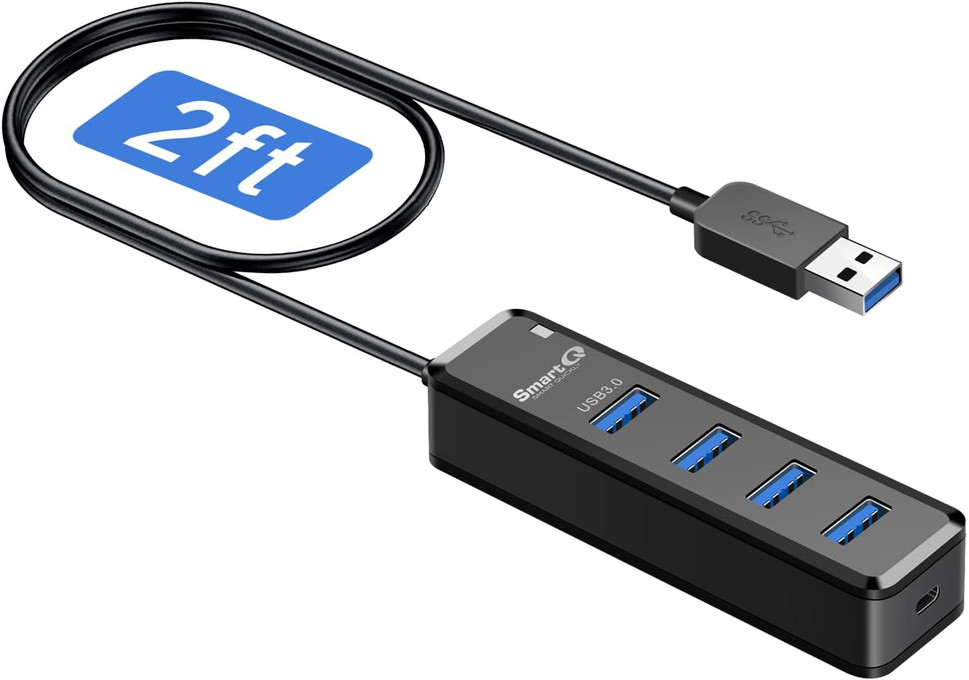
Use it when you connect power-hungry devices, such as external hard drives, or several busy devices at once. Plug your own 5V USB-C charger into the hub's USB-C port. It takes up to 5V 2A (10W). The port powers the hub only. It doesn't charge your laptop.
- Plug the H302A's USB-A plug into your computer.
- Plug a 5V USB-C charger into the hub's USB-C port. A charger is not in the box.
- Connect your drives and other devices to the four USB 3.0 ports.
The power input is optional. Without a charger, the H302A works like a normal hub powered by your computer. The 3 ft H302A-100 also has a USB-C port for extra power.
What if my laptop has only USB-C ports?
Every SmartQ hub has a USB-A plug, so a USB-C-only laptop needs a USB-C to USB-A adapter first. Apple's USB-C to USB Adapter, for example, supports up to 5Gbps and works with USB hubs. If you'd rather not use an adapter, buy a hub with a USB-C plug from another brand.
- Choose an adapter that supports USB 3 (5Gbps). A USB 2 adapter would slow the whole hub to USB 2 speed.
- Apple says devices on its adapter may draw power from your Mac. The same power limits apply, so hard drives may still need a powered hub.
- If you only need to read memory cards, skip the hub. A SmartQ reader with a USB-C plug, such as the C350 or C368 USB-C, plugs straight in.
Can a SmartQ hub charge my phone?
SmartQ hubs are made to connect devices for data. SmartQ doesn't list a charging rate for any of its hubs, so use a wall charger to charge a phone or tablet. The USB-C port on the H302A is a power input for the hub. It is not a charging port for other devices.
Still not sure which hub fits? See Which USB hub do I need? or compare SmartQ USB hubs.
Last updated: November 2026